01 / READING
Find a comfortable read
Adjust the presentation of text and add reading assistance.
- Text size
- Text spacing
- Line height
- Text alignment
- Typeface choices
- Dyslexia-friendly font option
- Hyphenation¹
- Focus-based read-aloud²
Accessibility tools and information
$ 999.00 USD, one-time purchase
Online purchasing is not available yet. Product information and installation guides are available below.
WHAT’S INCLUDED
One panel brings together 22 tools. Visitors choose the settings that suit them and can reset their choices at any time.
01 / READING
Adjust the presentation of text and add reading assistance.
02 / VIEWING
Change visual settings and reduce distractions while browsing.
03 / INTERACTION
Explore page structure and use alternative input helpers.
¹ Language and browser support varies. ² The widget’s “Screen Reader” tool is a read-aloud helper; it does not replace VoiceOver, NVDA or JAWS. ³ Voice commands require browser support and microphone permission; browser services may need a network connection.
SEE IT IN ACTION
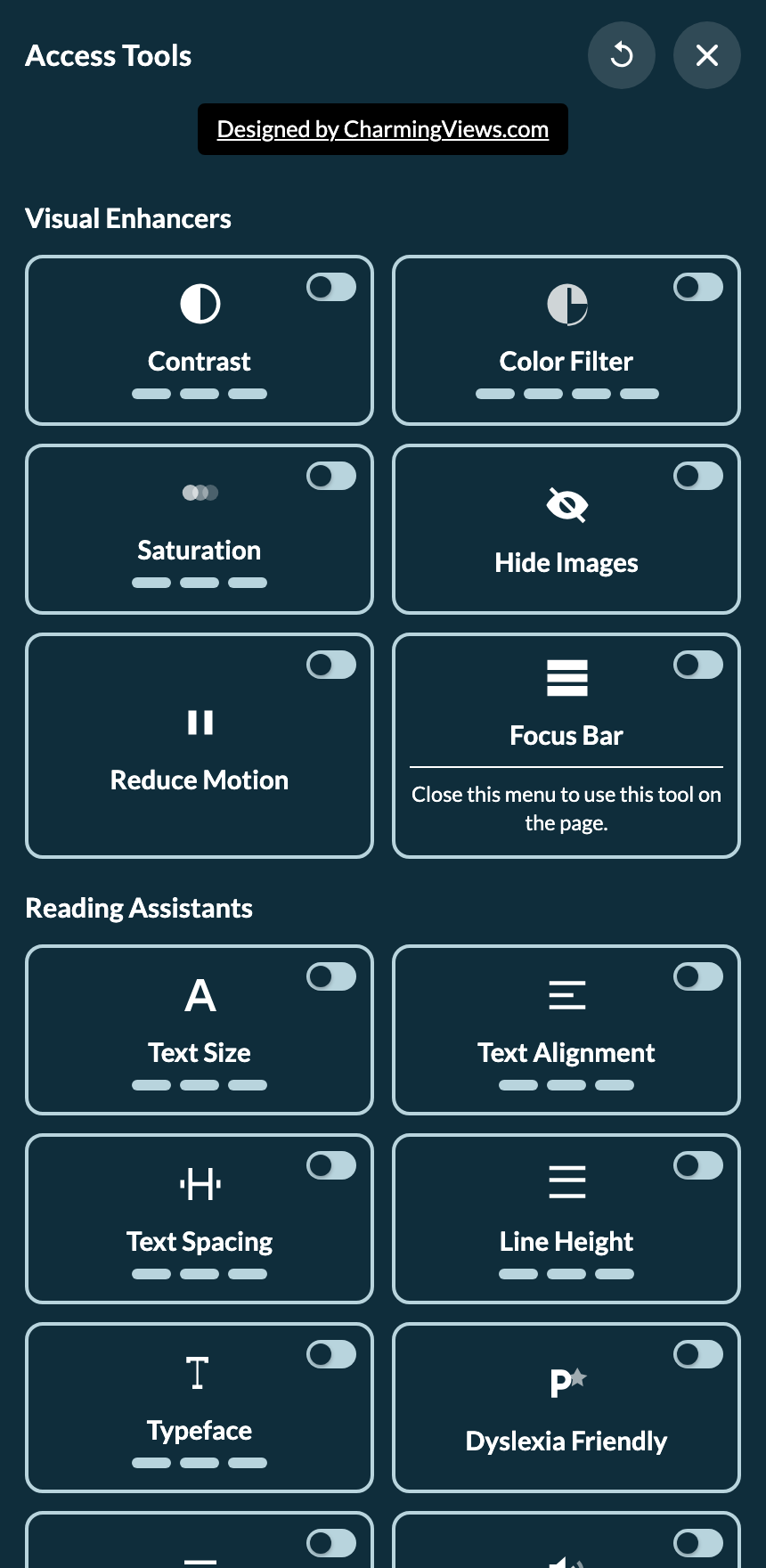
Open the shared accessibility tools, choose an adjustment, then close the panel to explore the sample content below.
These are the same tools available throughout this website. Your adjustments affect this page and may be saved in this browser. Use Reset in the tools panel to return to the default view.
A closer look at the real controls
DESIGNED FOR EVERYDAY USE
Tool preferences are saved in the visitor’s browser when local storage is available. No visitor account is required to use the controls.
A JavaScript module and a paired WebAssembly file add the tools alongside your site. Installation assistance is included when you provide the required access.
Offer useful controls while continuing to improve your content, templates and forms. The widget supports that work; it does not certify accessibility compliance.
THE PRACTICAL DETAILS
GETTING STARTED
Choose the base domain that will use the widget. Review the domain and purchase details before payment.
Installation is included when you provide the required website access. We agree the appropriate access with you.
Review your pages, keyboard paths, forms and mobile layouts with the tools. Source-code and content remediation are quoted separately.
BEFORE YOU DECIDE
A widget alone does not establish WCAG or legal conformance. Accessible code and content, human evaluation and targeted remediation remain necessary.
No. The tool labeled “Screen Reader” reads exposed names or text when page focus changes. It is a browser-based read-aloud helper, not a replacement for a native screen reader such as VoiceOver, NVDA or JAWS.
The license covers one base domain and its subdomains. For example, example.com, www.example.com and services.example.com share that base. A different base domain requires its own license. Review the exact licensed domain before buying.
Yes, when you provide the required website access. We arrange the appropriate access with you. Work to change your website’s source code or content is quoted separately.
Availability varies. Voice commands need a supported speech-recognition API and microphone permission. Read-aloud depends on browser speech synthesis and available voices; hyphenation depends on language and browser support. Unsupported tools may be disabled.
The widget provides 12 interface languages. That translates its control labels, not your website’s pages or documents.
Tool choices are kept in local browser storage when it is available. Browser settings, private browsing or clearing storage can affect persistence. Voice recognition may use browser-provided network services.
The offer is a one-time purchase, including applicable taxes, with no subscription or time-based expiry. Ongoing support, future updates and domain transfers are governed by the agreed purchase terms; they are not implied by a non-expiring license.